
Using the Object Selection Threshold
- Display fewer objects by default.
-
If the list of objects exceeds the default number, allow a search for objects
by name, rather than waiting and scrolling through the entire list.
Example:
Set the Object Selection Threshold system variable to 500 and on the Event editor Action tab, click the Menu icon to select a door to unlock. If there are more than 500 doors when the selection list box opens, the following message appears.
Figure 1. Object Selection Threshold - Warning dialog box 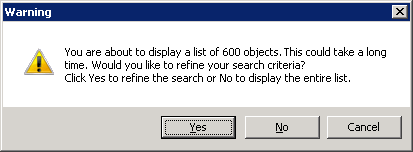 Choose between the following options:
- Click Yes to display a blank selection dialog
box. You can type one or more alphanumeric characters in the
Name starts with field and click
Search to generate a list of objects with
names that begin only with the characters you typed.
Figure 2. Name Selection dialog box - Object Selection pane 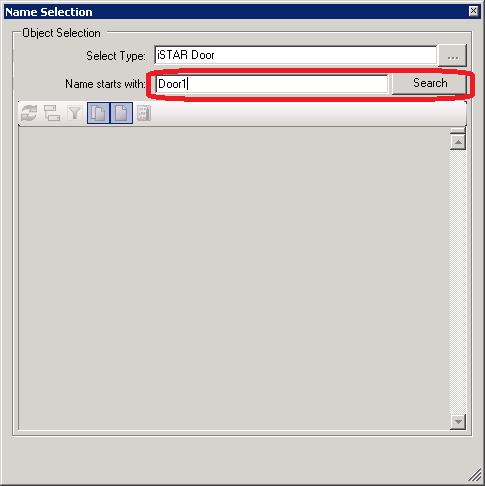
- Click No to display the entire list of objects. If you click No, you can filter the list when it displays by typing one or more alphanumeric characters in the Name starts with field and click Search.
- Click Yes to display a blank selection dialog
box. You can type one or more alphanumeric characters in the
Name starts with field and click
Search to generate a list of objects with
names that begin only with the characters you typed.