
Configuring SSL during installation
From v3.10, you are prompted to input an SSL certificate and corresponding details during installation. The SSL fields appear on the victor Web Service API screen accessible through Advanced settings.
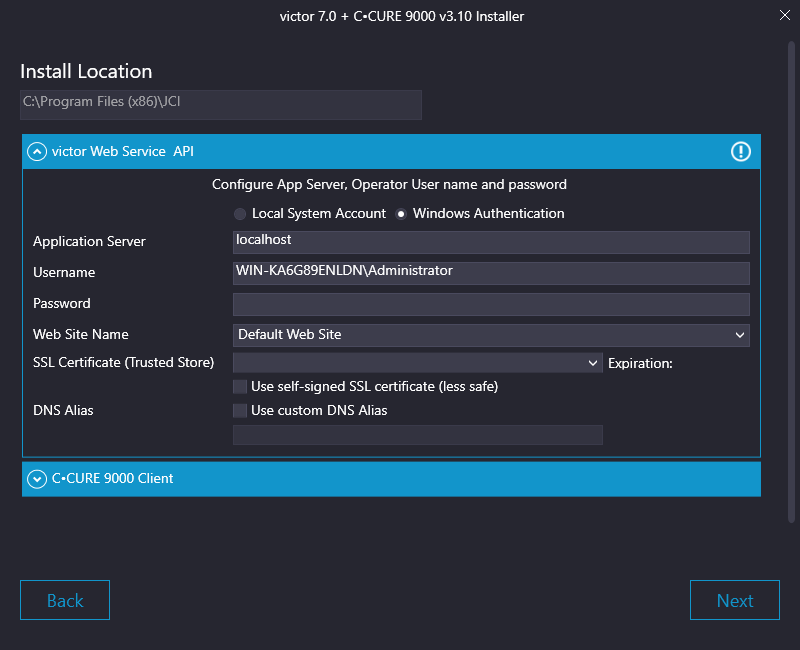
You can select a previously configured SSL certificate from theSSL Certificate (Trusted Store) list and then set the corresponding expiration and a custom DNS Alias if required. If you have not purchased a CA approved SSL certificate, you can select the Use self-signed SSL certificate (less safe) check box to temporarily use a self-signed SSL certificate.