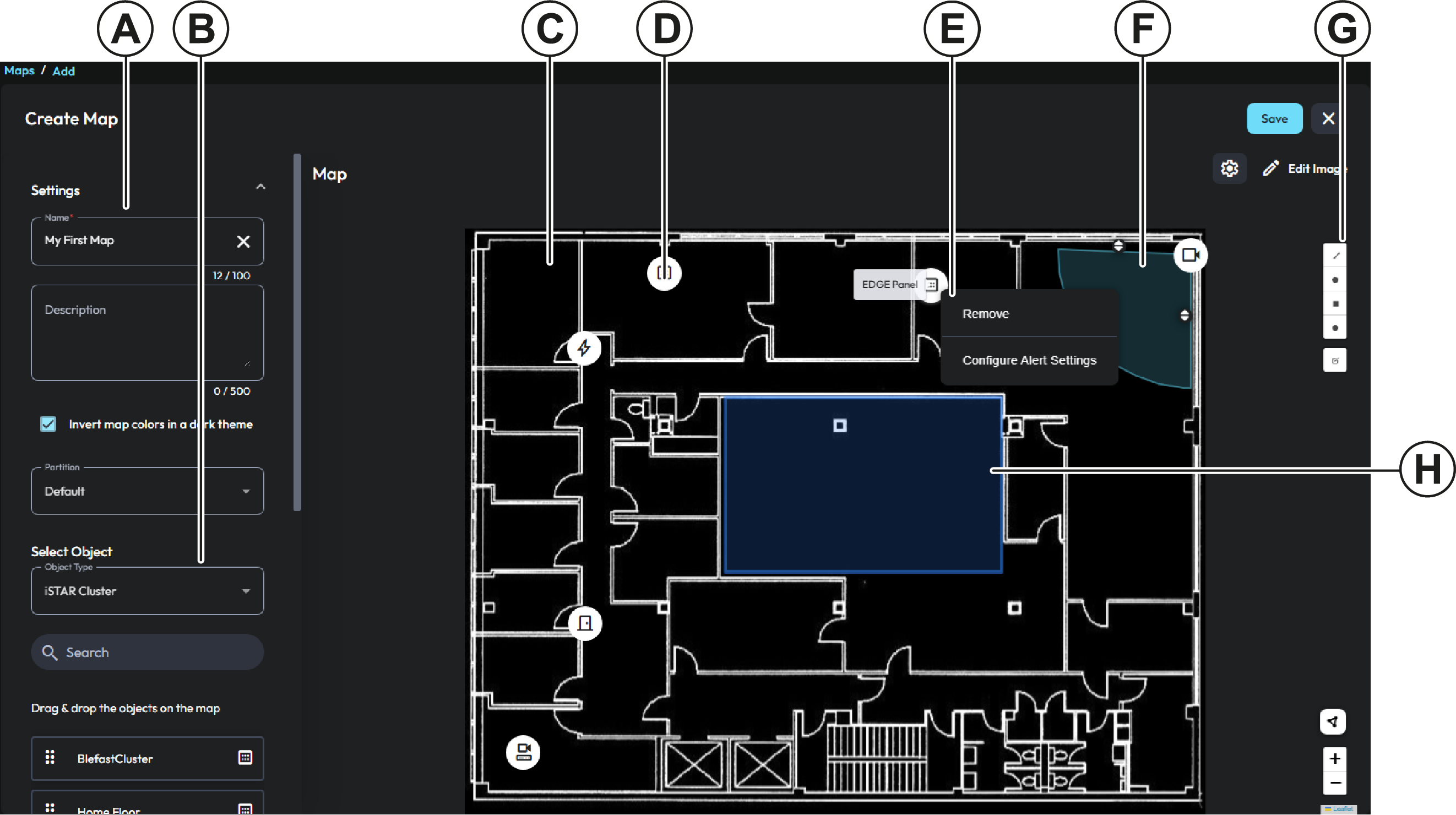
| A |
In the Settings area, configure the map settings. |
| B |
In the Select Object area, select object types to drag onto the
map. |
| C |
Map image |
| D |
Object icon |
| E |
Object context menu. From this menu, you can remove objects, and
configure alert settings for objects. Certain object types have
additional context menu options. For example, for cameras, you can
add a field of view. |
| F |
Camera field of view. To rotate or resize the field of view,
click and drag the handle icons. |
| G |
Drawing tools. To add a line or shape to the map, click the
object’s icon, and follow the on-screen instructions to draw the
shape. |
| H |
Map shape. Use map shapes when you want an object’s alert to highlight a section of
the map. For example, if you configure an object’s alert to blink
when it activates, the map shape also blinks. |