
Creating a camera pattern
A camera pattern is a recorded set of user-defined camera movements. You can use the pattern toolbar to record PTZ camera movements. When you run a pattern, the camera repeats the recorded movements and camera zooms.
Patterns are available for PTZ cameras, but not vPTZ cameras.
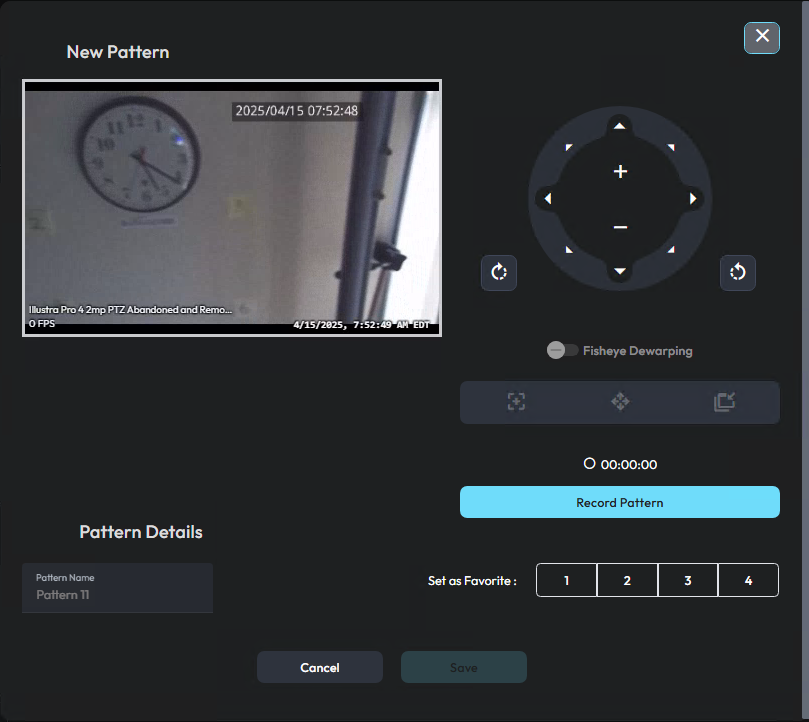
- On the Video Monitoring module, add a PTZ camera to one of the monitoring panes.
- To enable camera controls, select the pane that contains the PTZ camera.
- In the Camera Controls panel, click New Pattern.
-
To create a camera pattern, complete the following steps:
- Click Record Pattern.
- Use the PTZ controls to create a pattern of camera movements.
- Click Save Pattern.
- Optional: To see a preview of the camera pattern, click Preview.
Note: If you want to recreate the camera pattern, you can click Restart. - In the Pattern Name field, enter a name for the camera pattern.
- Optional: To save the camera pattern as a favorite, in the Set as favorite area, select one of the number icons.
- Click Save.