
Clip Builder
Use the clip builder to modify clips that you create from the Video Monitoring and Video Search modules. In the Clip Builder page, you can edit and combine clips, before you save them to your system. Saved clips are accessible from the Clip Management page.
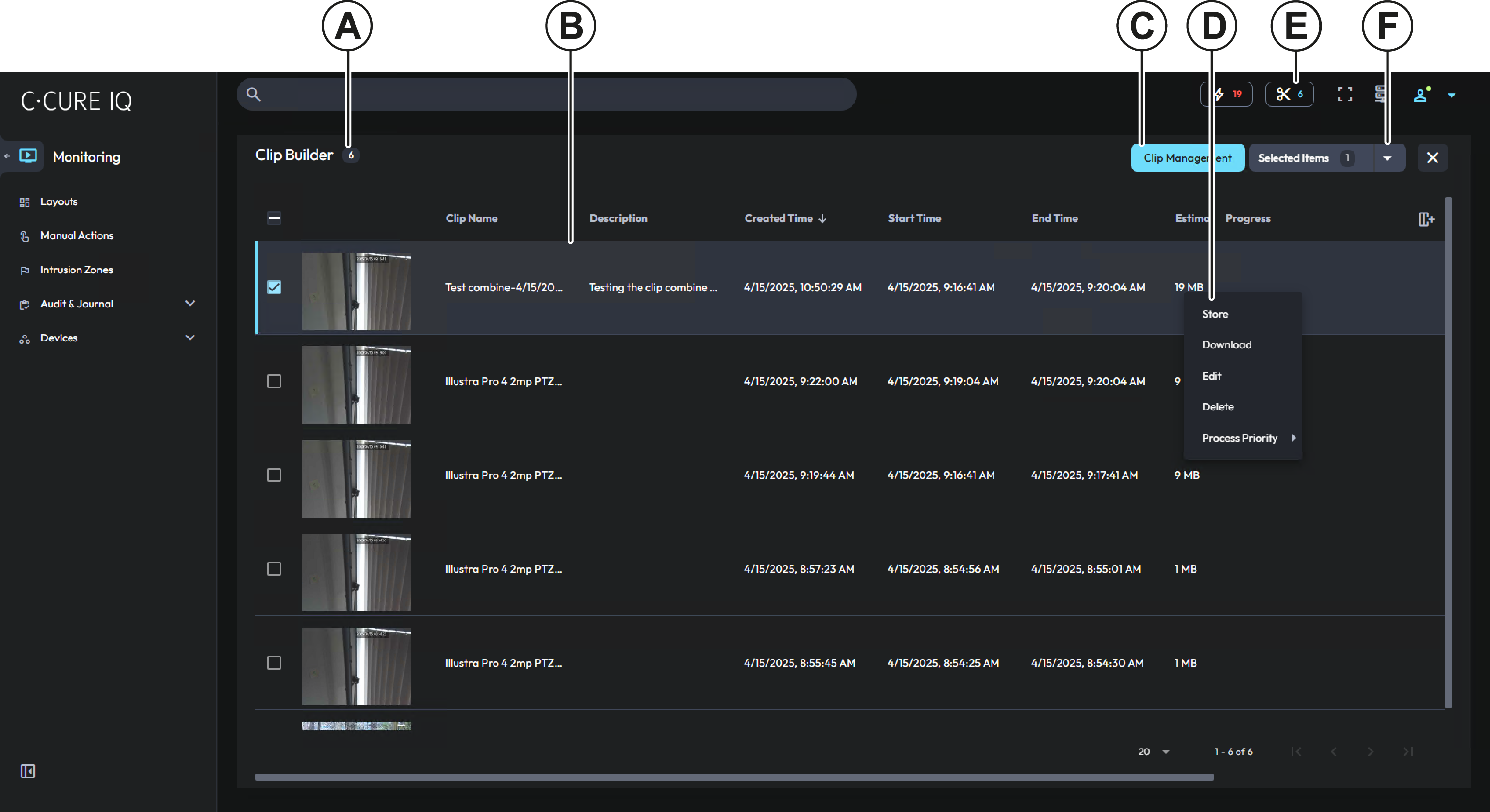
| Callout | Description |
|---|---|
| A | The number beside the page header displays the number of clips that are available in the clip builder. |
| B | Clip information is displayed in the clips list. |
| C | Click the Clip Management button to open the Clip Management page. |
| D | Right-click a clip to open the clip’s context menu. For more information, see Clip builder context menu. |
| E | The Clip Builder icon. The number beside this icon indicates the number of clips that are added to the Clip Builder. Click this icon to open the Clip Builder page. |